Keep guests informed as your resort changes
Manage status, hours, conditions, and alerts in Corvar. Publish updates to your live map, website, app, and other connected guest channels without retyping them in each system.

Update once across your connected channels
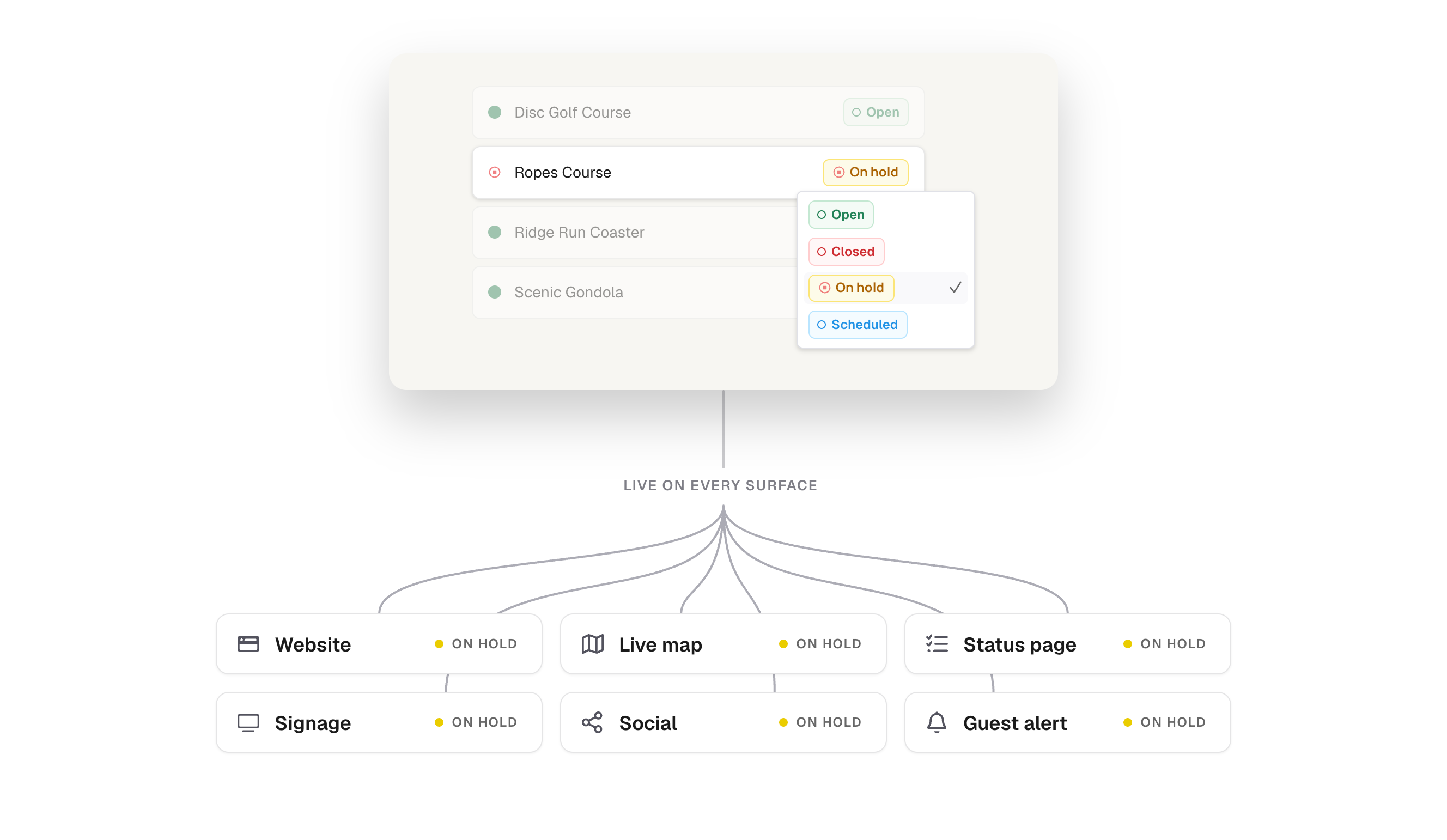
Change a place’s status in Corvar. Your live map, status page, website, app, and signage stay in sync.
Update the resort
from
wherever your
team works
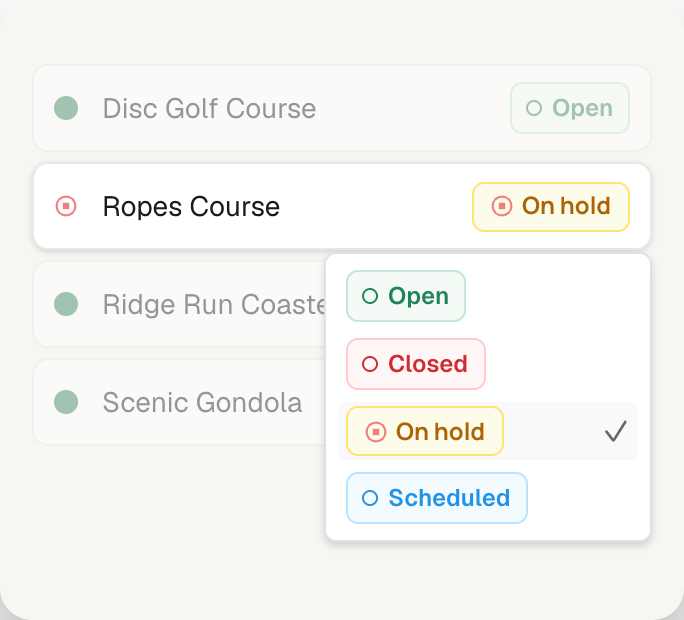
Update multiple places at once, or change a single place from your laptop or phone. Select the places, choose the status, and confirm the update. Your activity log records who changed what and when.
-
Choose places.
-
Confirm it.

Give every place
the status that fits it
A parking lot fills, a trail goes on hold, and a restaurant closes for the day. Give each place the status and hours guests need to plan their next stop.

-
Status that fits each place
Use the status options that fit each type of place.
-
Hours alongside status
Show when each place is scheduled to open.
-
One view for guests
Bring current status and hours together.
Turn today’s conditions into a guest-ready update
CorvarAI brings together your snow report, group conditions, weather, and live statuses to draft your daily message. Your team reviews and publishes.
-
Bring today’s information together
Use your snow report, weather, conditions, and live statuses.
-
Start with a prepared draft
CorvarAI turns the current information into a daily message.
-
Review before publishing
Your team checks the message and publishes it for guests.

Send alerts where guests need them
Explain what changed and what guests should do next. Add alerts to a place, a map, or the whole property.

Frequently asked questions
Can different types of places have different status options?
Yes. Trails, lifts, parking, dining, and other places can use status options suited to their operation. Keep hours alongside status so guests know both what is available and when.
Can we keep our existing website, app, and signage?
Yes. Corvar connects guest information to the channels you already use through embeds and integrations. The setup depends on your website, app, and signage provider; we can review those connections with your team.
How quickly do updates reach connected channels?
Corvar publishes changes to the channels connected to it. Timing can vary by integration and how each channel refreshes its content. We can demonstrate the update flow for your setup.
Who can publish updates, and can we see who changed something?
Your team’s roles determine who can make changes. The activity log records updates, who made them, and when, so your team can review what happened.
Can weather and snow data update automatically?
Automatic updates depend on the data sources connected to your resort. We can review your weather and snow-reporting sources and identify which information can flow into Corvar and which your team maintains.
Can staff update status from a phone?
Yes. Staff can update status from a phone while working around the property. Changes use the same resort records your team manages from a desktop.

See one update reach
your guest channels
Explore your resort in Corvar. Change a status and see how it appears on the live map, status page, and other connected guest channels.